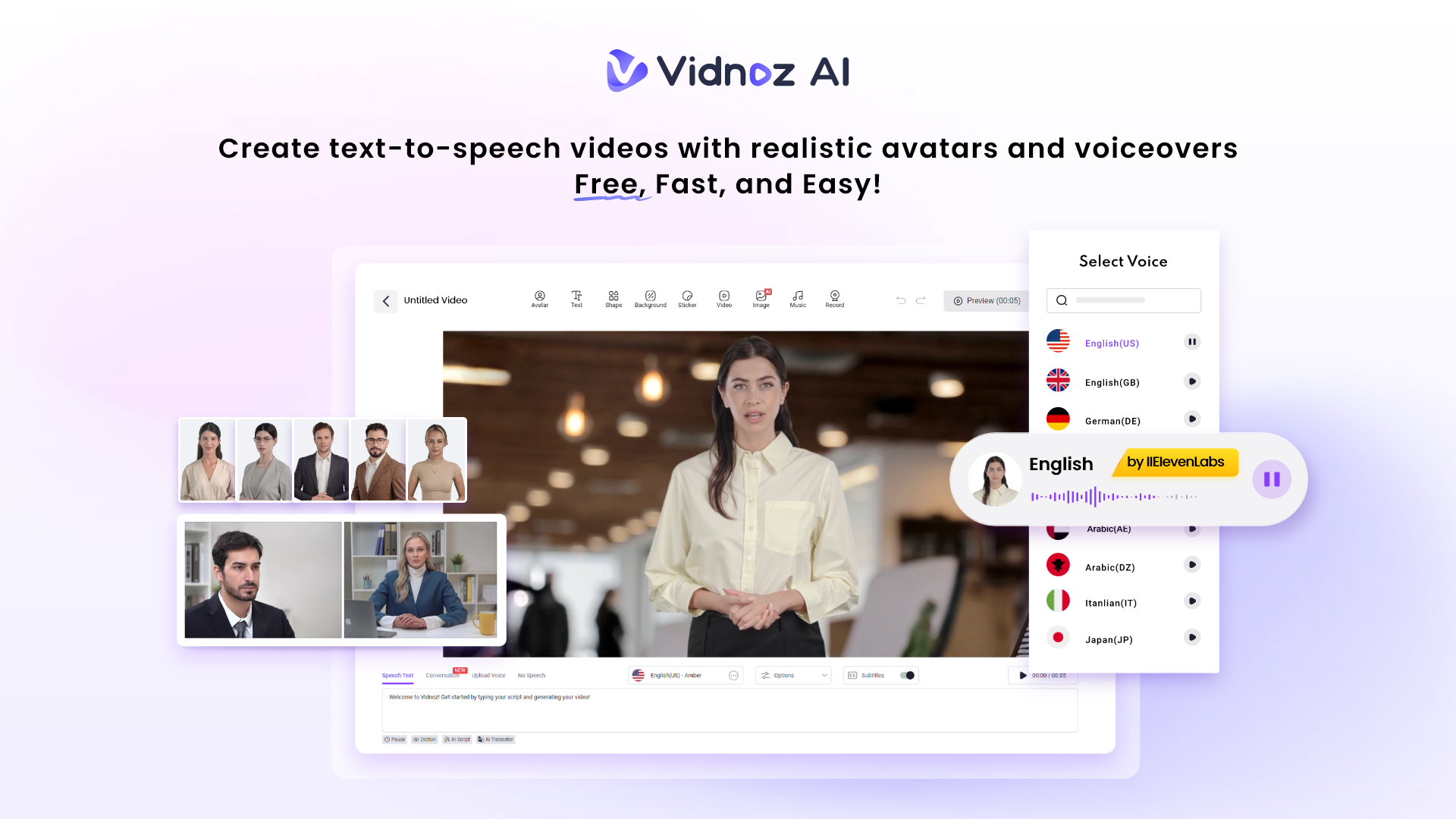
Creating marketing videos used to eat up most of my week. Between writing scripts, recording footage, syncing audio, and editing clips, the entire process felt like a second job. That all changed when I started using Vidnoz AI. It is a free AI-powered video creation platform that turns what used to take days into something I can finish before lunch.
What gave me real confidence in the platform right from the start was that Vidnoz AI is certified with ISO/IEC 27001:2022 for Information Security Management. As someone who handles client content and brand assets regularly, that kind of security standard actually matters. Knowing my projects are protected by a globally recognized framework meant I could focus entirely on creating, without worrying.
Key Features of VidNoz AI
Here’s what makes this platform stand out from everything else I’ve tried:
-
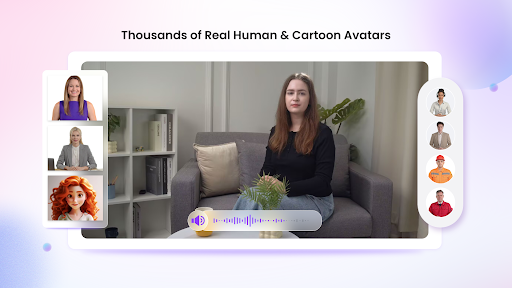
1900+ Lifelike Avatars That Match Any Context
When I first opened the avatar library, I honestly did not expect to find something that fit my niche. I was wrong. There are over 1900 lifelike avatars from diverse industries and roles, including corporate professionals, casual creators, and product-focused presenters.
What I use most often is the ability to match the avatar to the specific context of each video. For product walkthroughs, I use a product avatar that feels built for demonstrations. For brand-facing content, I use my digital twin so the face on-screen actually looks like me, without me needing to sit in front of a camera.
-
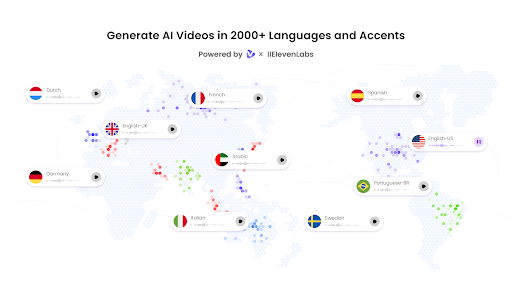
2000+ AI Voices Across 140+ Languages
My audience is not limited to one region, and my content calendar reflects that. I need voice options that sound natural in multiple languages without sounding robotic or rushed. Vidnoz AI provides over 2000 AI voices across 140+ languages, powered by ElevenLabs, Microsoft, and Google.
The quality difference is noticeable immediately. These are not generic text-to-speech outputs. The voices carry rhythm and warmth and they sync naturally with the avatars on screen. I have used them for English campaigns, Spanish product launches, and even some multilingual explainer videos that would have required hiring multiple voice actors before I found this tool.
-
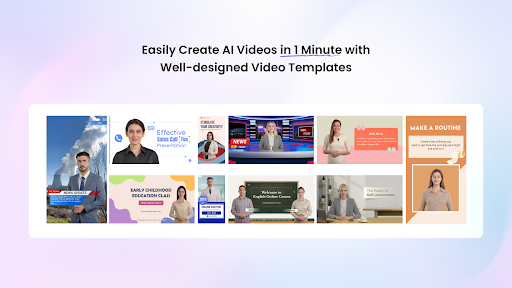
2800+ Pre-Designed Video Templates
I used to spend time building video structures from scratch. Now I browse from over 2800 pre-designed video templates organized by format, tone, and industry. Whether I need a product announcement, a tutorial, a social ad, or an internal update, I can find a structure that already works and build from it rather than starting cold.
This feature alone has probably cut my prep time in half. The templates are polished enough to publish directly, but flexible enough to make fully my own.
-
Free Daily Use That Keeps Things Moving
One thing I appreciate more than I expected is that every user gets 30 credits of free video generation per day. For testing ideas, creating short-form clips, or drafting concepts before committing to a full production run, that daily allowance keeps my workflow moving without adding to the budget. It is a genuinely useful limit rather than a frustrating restriction.
How I Actually Make a Marketing Video
My process of making content is straightforward. Here’s exactly how I do it:
Step 1: Choose a Template and Avatar
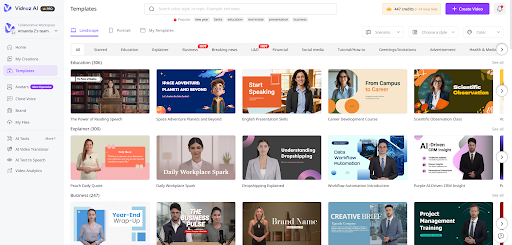
First, click “Create Free Video Now” on the Vidnoz AI video generator website. I start by browsing the template library and selecting one that fits the format I need. Once I have a template locked in, I pick an avatar from the library. I look for one that matches the tone of the message — a product avatar for demos or my digital twin for content where brand presence matters.
Step 2: Create the AI Voiceover
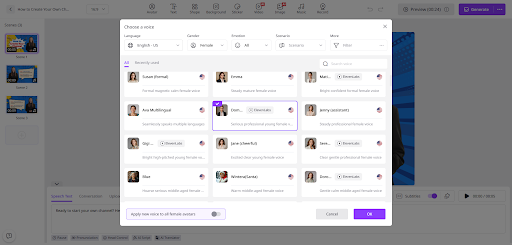
Next, I paste my script into the voice editor and choose from the AI voice options. I usually filter by language first and then by tone. For marketing content, I tend to favor voices that are warm and clear rather than overly formal. The ElevenLabs and Google-powered options in particular have a naturalness that makes them easy to listen to.
Step 3: Add a Custom Touch
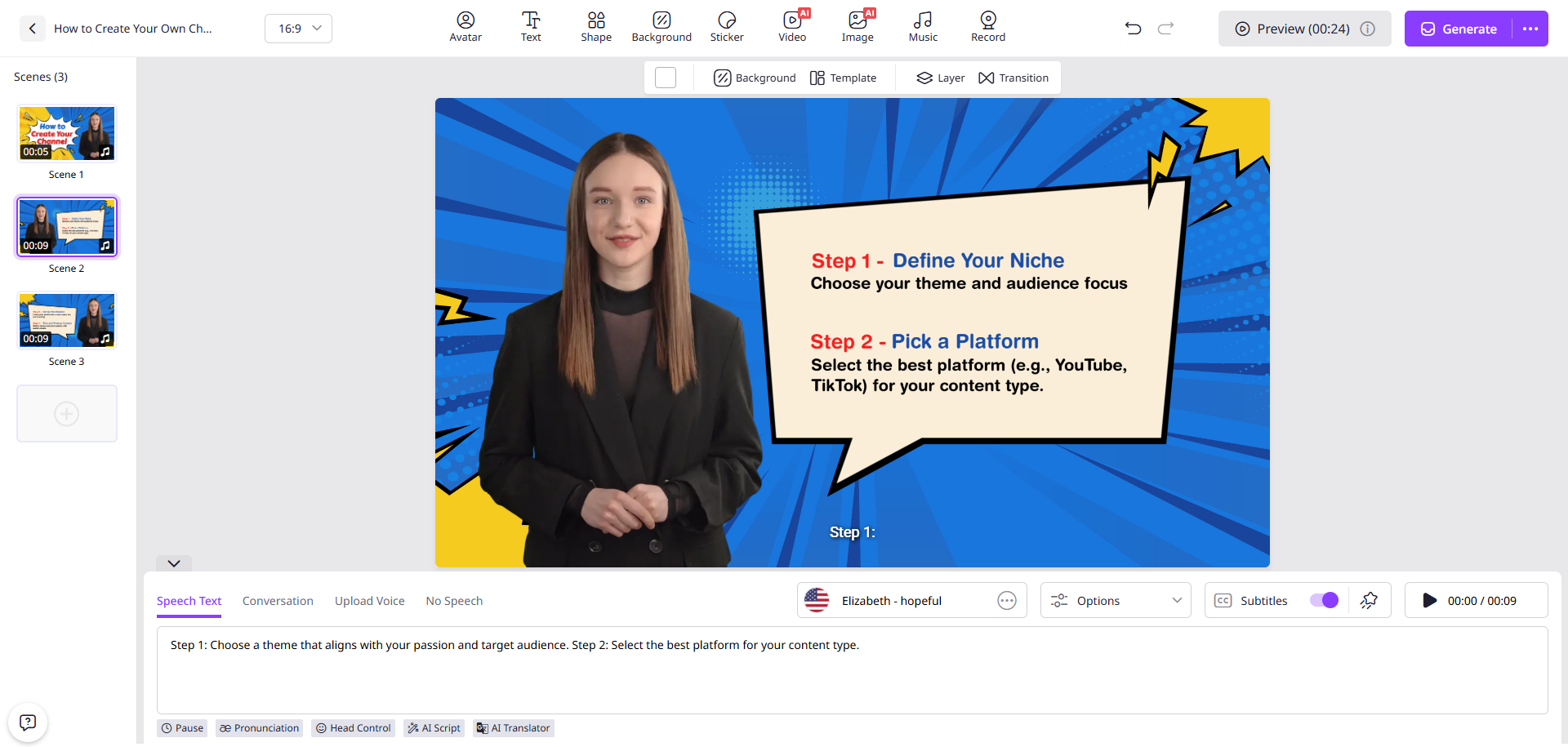
This is where I adjust colors, add logo placements, include captions, or insert any brand-specific elements. Even a small tweak like matching the template colors to a client’s palette takes only a minute or two and makes the final video feel intentional rather than templated.
Step 4: Generate the Video and Share
Once everything looks right, I hit generate. The output is ready quickly, and I can download or share it directly. For social platforms, I use the native export options. For client deliverables, I download the file and send it through my usual workflow.
Final Thoughts
I have tried several video tools over the years, and most of them ask you to choose between speed and quality. Vidnoz AI does not force that trade-off. The combination of lifelike avatars, natural AI voices, ready-made templates, and the security of ISO/IEC 27001:2022 certification makes it a platform I trust for both quick turnarounds and polished deliverables.
If you are spending too much time on marketing video production and not enough time on strategy and distribution, it is worth giving Vidnoz AI a real look. The free daily access means you can test it without committing to anything. Start there and see how quickly your process changes.